How to Spot Phishing Using Temp Mail
Phishing attacks in 2026 have become dangerously sophisticated. Gone are the days of poorly translated emails from "foreign princes." Today, advanced scammers use AI tools to create pixel-perfect replicas of emails from PayPal, Netflix, Amazon, and even your own corporate bank. Their primary goal? To steal your passwords, credit card numbers, and digital identity.
While standard spam filters like Google's or Microsoft's catch a lot of garbage, some cleverly engineered attacks inevitably slip through into your primary inbox. This is where Temp Free Mail transitions from a simple privacy tool into an active, highly effective cybersecurity weapon. Let’s explore how you can use disposable emails as a secure "sandbox" to spot and analyze phishing attempts without putting your data at risk.
1. The "Sandbox" Approach to Sketchy Websites
Often, phishing doesn't start with a direct email to your inbox. It starts with a sketchy link on social media offering a "Free Gift Card," an exclusive crypto drop, or a "Secret File Download." When you click the link, the landing page demands your email address to proceed.
If you use your real email, you have just confirmed to the scammers that your address is active and monitored. Instead, use a temporary email address. If the website is a phishing front, they will immediately bombard that disposable inbox with malicious links and fake offers. Because the temp inbox self-destructs after you close it, the scammers get absolutely nothing, and your real identity remains entirely safe.
What is a Cybersecurity Sandbox?
In tech terms, a "sandbox" is an isolated testing environment where you can execute suspicious files or open risky links without letting them touch your main operating system. A disposable email acts as a cloud-based sandbox. If you receive a tracking pixel or a malicious attachment, it is confined to our temporary servers, not your personal computer.
2. Safely Testing "Urgent" Account Alerts
Imagine you receive a terrifying email claiming your primary streaming account will be deleted in 24 hours unless you click a link and "update your payment info." You are 90% sure it’s a scam, but that 10% doubt makes you anxious. Rule number one: Do not click the links in that email!
Instead, if you want to test the sender's legitimacy safely, you can register for a completely new, free account on that actual platform using a Temp Mail in a separate browser tab. Here’s what this test reveals:
- If the official platform sends you a welcome email from the verified domain support@netflix.com, but the suspicious email you received earlier came from billing@netflix-support-update2026.com, you've instantly spotted the fake phishing domain.
- Comparing the real automated emails received in your temp inbox with the suspicious email makes the scammers' formatting mistakes and typos glaringly obvious.
| Testing Suspicious Links | Via Primary Inbox | Via Temp Mail Sandbox |
|---|---|---|
| Tracking Pixels | Logs your IP and location immediately | Isolated on temp server, hides your IP |
| Email Verification | Confirms your email is active to hackers | Confirms a dead address (Zero value) |
| Future Risk | Increases targeted phishing attacks | Eliminates risk (Inbox is deleted) |
3. Protecting Against Data Broker Scams
Many modern phishing operations disguise themselves as highly useful, legitimate online servicesâ€â€like free PDF converters, online resume builders, or background check sites. They aren't trying to hack you directly with malware; they are harvesting massive lists of active email addresses to sell on the dark web or to aggressive marketing agencies.
By habitually using temporary emails for any site you do not 100% trust, you effectively "poison" their database. When they sell that harvested data, they are selling a dead, disposable email address. If that specific temp mail suddenly starts receiving phishing emails claiming you "won the lottery," you have definitive proof that the original website was a malicious data-harvesting scam.
4. What to Look For (The Phishing Red Flags)
When you use a temporary email to inspect suspicious registrations or newsletters, keep a close eye out for these classic phishing indicators:
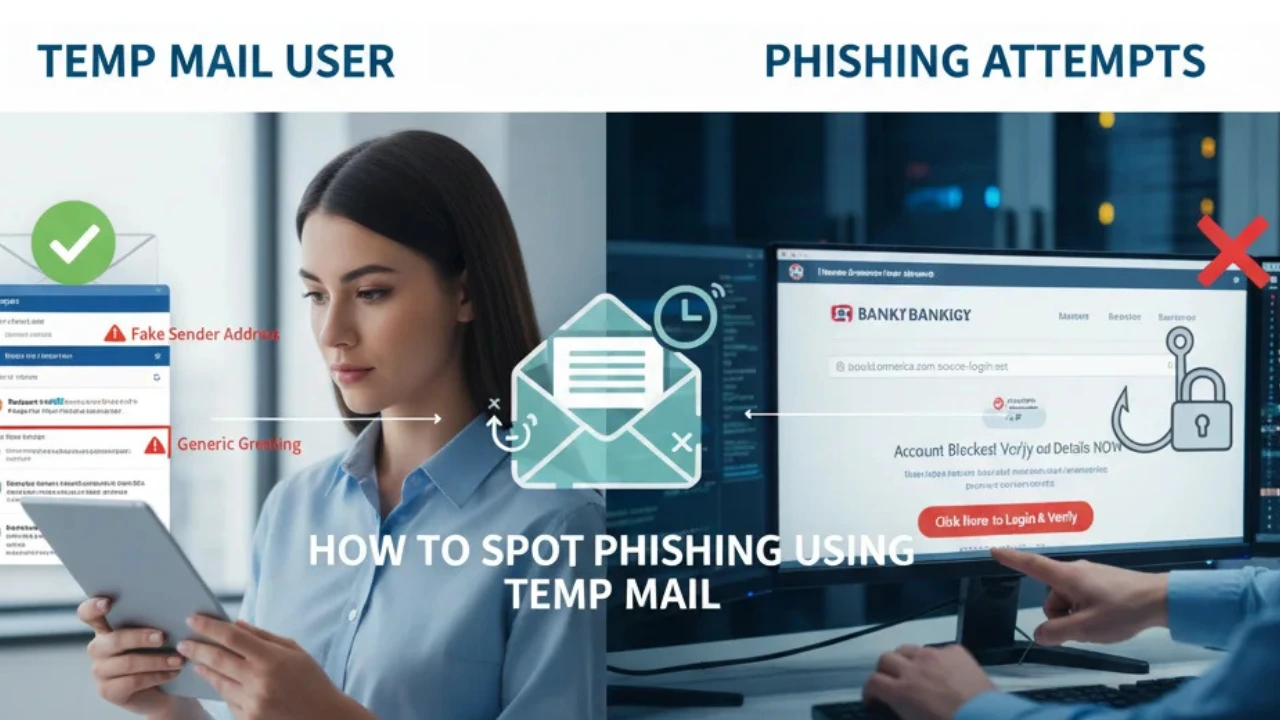
- Mismatched URLs: Hover over the buttons or links in the email without clicking. Does the URL lead to the actual brand's official website, or a strange string of random letters and numbers?
- Generic Greetings: Legitimate companies usually use the first name you registered with. Scammers, who bought your email in bulk, often use "Dear Customer," "Dear Member," or just your email prefix.
- High-Pressure Tactics: Phrases like "Immediate Action Required," "Account Suspended," or "Final Warning" are psychological tricks designed to make you panic and click before thinking critically.
Frequently Asked Questions (FAQ)
Can opening a phishing email give me a virus?
Simply opening an email usually does not download a virus. The danger lies in downloading malicious attachments (like fake PDF invoices) or clicking links that lead to fake login pages designed to steal your credentials.
How does Temp Free Mail help if I already clicked a bad link?
If you clicked a bad link that demands an email signup to view the "reward," providing a Temp Mail ensures the scammers don't get your real identity. However, you should still run an antivirus scan on your device if you downloaded anything.
Are there invisible trackers in phishing emails?
Yes! Scammers use invisible 1x1 pixel images. When your email client loads the image, it tells the hacker your IP address and that your email is active. Using Temp Mail keeps your real IP completely hidden from these trackers.
Conclusion: Your Digital Quarantine Zone
Think of your primary email as your home address. You wouldn't invite a highly suspicious stranger inside just to see what they want to sell you. A temporary email acts as a safe, neutral meeting groundâ€â€a digital quarantine zone where you can inspect sketchy links, downloads, and sign-ups without risking your real personal data.
Next time your scam-radar goes off, don't risk your main inbox. Generate a disposable address with Temp Free Mail, investigate safely, and maintain total control over your digital security.